Create your first event
Set up the first event in Lead Companion.
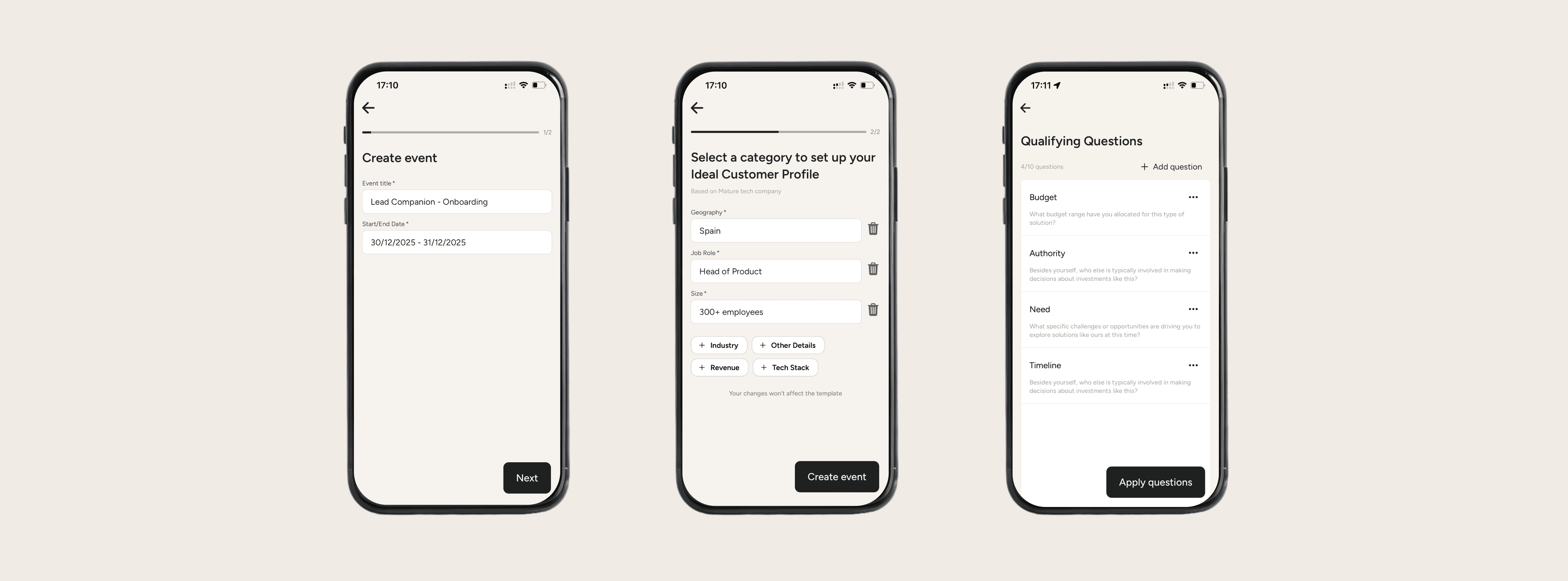
Only “Editors” can do this step. If you are a “Viewer”, you will be added to an event once it is created by an “Editor”
Steps to take
Click “Create Event” and add:
Event name
Event start & end date
Define your Ideal Customer Profile (ICP)
Option 1: Start from scratch - build your own
Option 2: Use an existing template*
Click “Create Event” button
The event will now show up in your events list
Optional: Set up Qualifying Questions (QQ)
Pick a template* (custom or generic)
Adapt questions based on chosen template & save